For the first three years of NaMoPaiMo, painters completed their entries by posting a picture on the NaMoPaiMo Facebook page or emailing it to me. I saved each photo to my laptop and hand-marked the entry complete in the NaMoPaiMo database. This was fine the first year, but it hasn't scaled well. Last year I spent more a ridiculous amount of time online, trying to find and record every finished entry. Despite my best efforts, I still missed some. It was kind of a mess. For the long term survival of NaMoPaiMo and the sake of my sanity, things had to change. Here's how we're asking people to complete their entries this year.
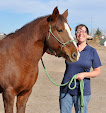
First, you have to paint your horse! Until that's done, none of this matters. Once the horse is finished, it's time to take photos. My horse is not finished yet, so I'm using some of my own pre-painting selfies for this demonstration.
Crop your photos so that the horse is in the middle and there isn't a lot of space around him.
All that's required is one good photo. No fancy borders and no collages, please!
Upload the picture somewhere on the web. I highly recommend Imgur. It is extremely easy to use and you do not have to make an account.
To upload your photo, simply click on the "new post" link on the homepage.
Select your photo.
Copy the URL.
Open the NaMoPaiMo Completion Page. Enter the code you received with your entry and the link to your photo. Click on the submit button, and your entry will be marked complete. Congratulations!
Go to"Albums"...
and select "I Did It!"
Upload one - just one! - photo to the album and sit back and enjoy all the congratulations messages you are about to receive.
Please note, all of these screenshots were taken on a laptop. The process may be slightly different on your phone. More information about this can be found on the NaMoPaiMo Facebook page.




 Posts
Posts


.jpg)


Thank you again,... And congratulations (again) to Ryan!
ReplyDelete